


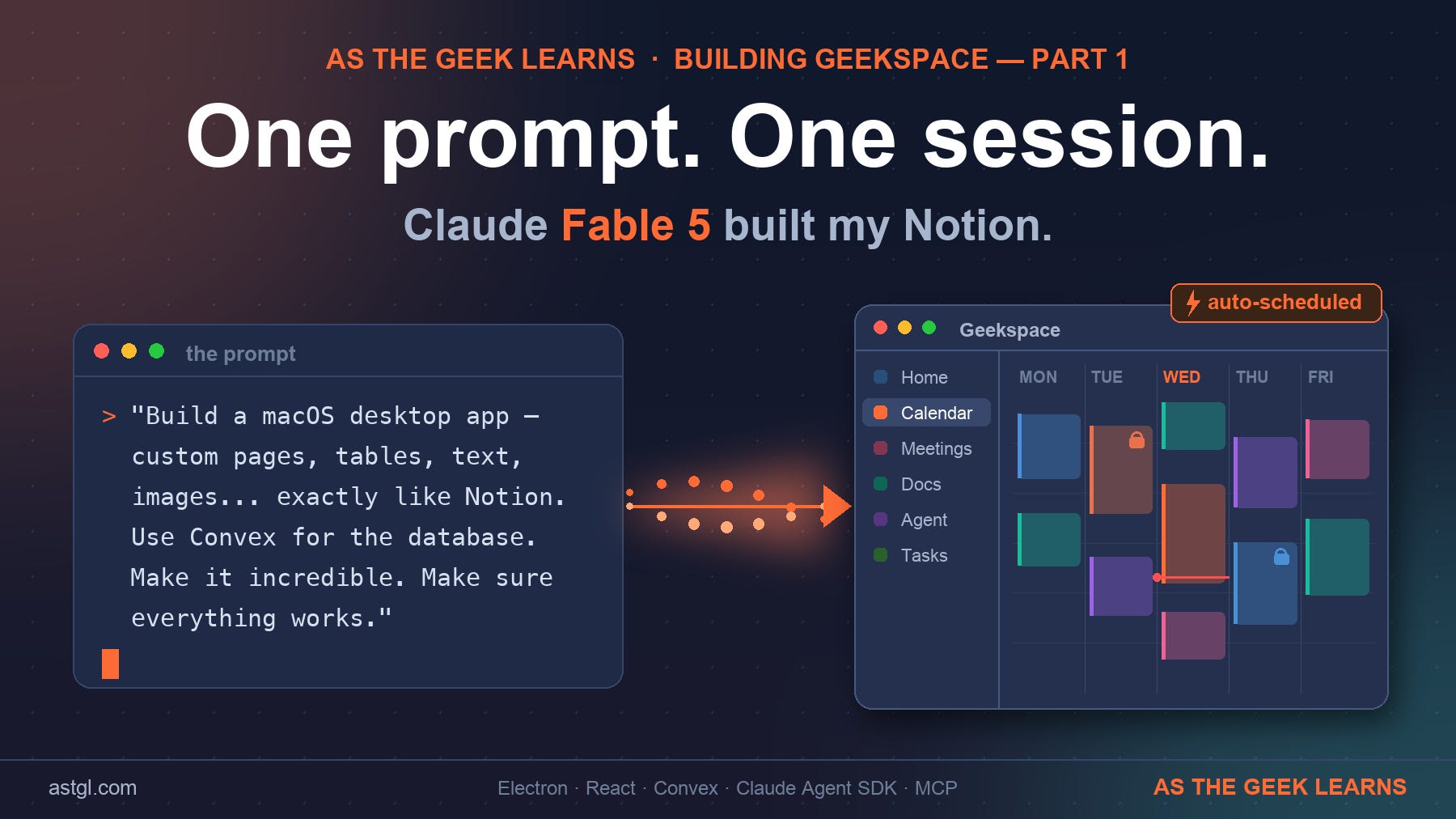
I gave Claude Fable 5 one prompt and walked away for a few minutes. When I came back, it had designed a database schema. By the time I went to bed, I had a fully functional macOS desktop app with a block editor, relational databases, and a calendar that schedules itself. This is the story of how that happened and what it says about where AI-assisted development is right now.
The Prompt That Started Everything
It started simple. I'd been using Notion for years, but it always felt like it was one subscription price increase away from becoming someone else's problem. I wanted something local. Something mine. And I'd been watching what Claude Fable 5 could do on the Max plan, so I decided to push it.
The prompt was direct:
"I want you to build a macOS desktop app. This should be an app that lets you create custom pages with tables, text, images and more exactly like Notion. Use ASTGL branding. Use Convex for the database. Please build the full app, make it incredible and a professionally designed product, and make sure everything works."
That was it. No architecture spec. No wireframes. No feature list beyond "exactly like Notion."
What came back wasn't just code; it was a plan. A full architecture decision: Electron + React 19 + Vite + Tailwind v4 + BlockNote for the editor + Convex running in anonymous local mode (no account, no cloud, data stays on this Mac). Fable 5 made the call that Convex's anonymous local deployment mode was the right choice before I even thought to ask about it. No auth, no monthly fee, reactive by default, data in ~/.convex. That's a good decision.
What Got Built
Geekspace shipped with everything I use Notion for daily.
The block editor works exactly how you'd expect: type / for the command menu, hit # for headings, [] for to-dos. Drag handles, nested blocks, image uploads to Convex storage. The BlockNote library handles the ProseMirror plumbing; Fable 5 wired it into the Convex backend cleanly.
The databases are where it gets interesting. Property types, multiple views (Table, Board, List, Calendar, Timeline), per-view filters, and sorts. Relations between databases and not just visual ones. Two-way synced relation pairs, rollup properties, and status fields with groups. The seeded template drops in a Projects ↔ Tasks ↔ Sprints structure pre-wired with relations and progress rollups. That took one command: npm run seed.
The calendar that schedules itself is the headline feature. Every task with an estimate, a due date, and a priority gets automatically placed into your working hours, packed around fixed events, using earliest-deadline-first ordering. Drag a block, and it locks the engine schedules around it. Past blocks freeze as history. If something can't fit, it surfaces in a "needs attention" panel. Nothing silently drops.
And then I kept asking for more.
The Features I Added
After the first version was running, I started pushing.
"How can I connect my macOS Calendar and email?" Done. Calendar.app events mirror into Geekspace via JXA scripting, show up as fixed busy time the auto-scheduler works around, and display as dotted-edge events on the calendar. The Mail inbox widget pulls your recent messages, shows unread counts, and lets you turn any email into a task with one click.
"Notion has AI Meeting Notes—can you recreate that locally?" Done. One-click recording with a floating recorder, live level meter, pause, and resume. The audio runs through whisper.cpp for transcription, then through a local Ollama model for summarization. It never leaves the Mac. Summaries adapt to meeting type, standup vs. client vs. interview generate different formats. Action items become tasks in one click.
Then I approved a full roadmap for four more features: enterprise search over my ASTGL knowledge base, an AI agent built into the app, project templates, and a docs library. All four shipped in the same session.
The agent piece called ARCHITECT is the one I'm most proud of. I can use both Claude Agent SDK and local llm qwen3-coder:30b using a toggle. Both are wired and running directly inside the Electron main process. The qwen3-coder:30b model is great for tools usage. It connects to a custom MCP server I built called geekspace-mcp that exposes 14 tools covering every meaningful operation in the workspace. Ask ARCHITECT to set up a database for tracking podcast guests and it appears, live, in the sidebar. Ask it what's overdue and it queries the scheduler and tells you. Any MCP client can use this server, which means I can also drive Geekspace from Claude Code itself.
The Bugs That Made It Real
No build story is honest without the debugging.
The Electron window wouldn't launch. Vite was binding to IPv6 (::1), the startup script was polling 127.0.0.1 (IPv4), and they never found each other. One config change: host: "127.0.0.1" in vite.config.ts.
The macOS Mail widget timed out. The Automation permission dialog was blocking the JXA script. The fix required an armAutomation() probe function that pre-triggers the permission window before the actual fetch, with a timeout window.
The local Ollama model (gemma4) wraps its JSON output in markdown code fences even when you ask it not to. The fix: parse from the first { to the last } and ignore whatever surrounds it.
And then there was the ARCHITECT architecture mistake. My first plan routed the agent through ClaudeClaw's chat API but that API is intentionally tool-free for security reasons. The agent could chat, but couldn't actually do anything. I caught this, paused, re-planned, and rebuilt: embed the Agent SDK directly in Electron main, run everything locally. That's the version that works, and works well.
Fable 5 caught the architectural problem during the re-plan conversation and designed the corrected solution. That's not autocomplete. That's engineering judgment.
What Fable 5 Made Possible
Here's the thing that keeps sticking with me: I'm not a developer by trade. I'm a systems engineer who's been learning to build with AI. In a previous chapter of my career this build would have been a months-long project requiring an entire team. What got built here in a few hours included the scheduling engine, the MCP server, the reactive database layer, and the audio pipeline. Just wow!
This was one session.
Fable 5 didn't just write code from my descriptions. It made architecture decisions. It identified when I was about to go down a wrong path (the ARCHITECT routing issue). It designed a pure functional scheduler module with 21 tests. It wired an MCP server from scratch. It debugged IPv6/IPv4 mismatches and macOS permission timing issues.
The code it writes is genuinely good code. It typed, tested where it matters, and followed established patterns. I watched Fable 5 write code and spin up an agent to perform an adversarial review more than once. The debugging process felt like working with a senior engineer who happened to also be infinitely patient about explaining tradeoffs.
The Series: Building Geekspace in Public
This article is the start of something bigger. I'm planning a full series on what I built, how it works, and what I learned. Here's where we're going:
Part 1 — You're reading it. The origin story: one prompt, one session, a complete Notion-style macOS app.
Part 2: The Calendar That Schedules Itself
A deep dive into the auto-scheduling engine. How earliest-deadline-first + priority + chunking actually works. How locked blocks, frozen history, and "needs attention" surfacing change the way you think about task management. Why I built it as a pure module with its own test suite and why that decision saved me three times.
Part 3: Five Bugs, Five Fixes — Debugging With Fable 5
The IPv6/IPv4 split-brain. The Automation permission race condition. The gemma4 JSON fence problem. The orphaned Convex backend port. The wrong architecture I almost shipped. Each one is a real debugging story with a real lesson about building local AI-native apps.
Part 4: AI Meeting Notes, 100% Local
Whisper.cpp + Ollama + a floating recorder UI. How I rebuilt Notion's AI meeting notes without sending audio anywhere. The pipeline that took five iterations to get right. The model behavior quirks you don't find in the documentation.
Part 5: One MCP Server, Three Runtimes
geekspace-mcp is a standard stdio MCP server. ARCHITECT runs it from Electron main. Claude Code can run it from the terminal. Claude Desktop can run it too. Building a workspace tool that any agent can drive and what that means for how AI and personal software intersect.
Part 6: What I'd Do Differently
Honest retrospective. The choices that worked out. The ones I'd reconsider. What building a complete app in one session actually costs you in terms of technical debt and understanding.
Video Walkthrough of the Geekspace Build
The full app is called Geekspace. It runs on my Mac, stays on my Mac, and does everything I actually use Notion for. If you want to follow the build in public as I write about it, subscribe below — Part 2 drops next.
Frequently Asked Questions
Can Claude Fable 5 really build a full app from one prompt?
Yes — in one session, from a single prompt, it produced a working macOS app with a block editor, five database views, an auto-scheduling calendar, local AI meeting notes, and an embedded agent. It chose the architecture itself before being asked.
What stack did Claude choose for a Notion-style desktop app?
Electron + React 19 + Vite + Tailwind v4 + BlockNote for the editor, with Convex running in anonymous local mode — no account, no cloud, data stored in ~/.convex on the Mac.
Is a locally built Notion alternative actually private?
Yes. Geekspace keeps data in a local Convex deployment, and the AI meeting notes run whisper.cpp plus a local Ollama model — the audio never leaves the Mac.
How do you give an AI agent tools inside a desktop app?
The ARCHITECT agent runs the Claude Agent SDK in the Electron main process and connects to geekspace-mcp, a standard 14-tool MCP server. Because it's standard MCP, Claude Code and Claude Desktop can drive the same workspace.
What went wrong building an app this fast?
Four real bugs: an IPv6/IPv4 localhost mismatch that blocked the window, a macOS Automation permission race in the Mail widget, gemma4 wrapping JSON in markdown fences, and an early agent architecture that couldn't run tools and had to be rebuilt.
Do you need to be a developer to do this?
No. I'm a systems engineer learning to build with AI, not a professional developer. The skill that mattered most was knowing the outcome I wanted and recognizing when the architecture was wrong — not writing the code.
*Part of the Building Geekspace series — an honest look at what's possible when you partner with AI to build real software. Published at As The Geek Learns.*
Building a full Notion in one session is impressive! Thank you for sharing this real world Claude Fable 5 use case.