


Today I’m starting a project I’ve been thinking about for weeks: ripping Notion out of my workflow and replacing it with OpenClaw, a self-hosted AI agent framework running entirely on my Mac Studio. No cloud. No subscription. No black box.
This sounds dramatic. It kind of is. But the reasons are practical.
The Setup
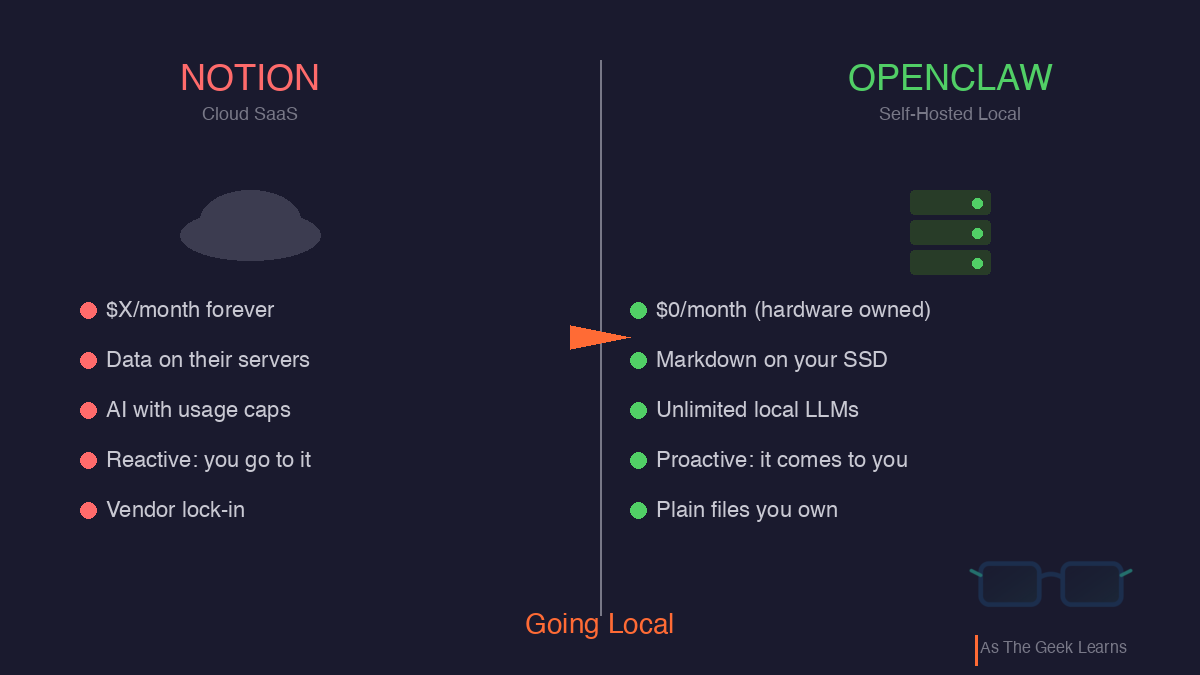
Notion is good software. I’ve used it for years for daily notes, content pipelines, project tracking, and knowledge bases. It does enough things well enough that you stop questioning the monthly charge.
But “well enough” started feeling like a ceiling.
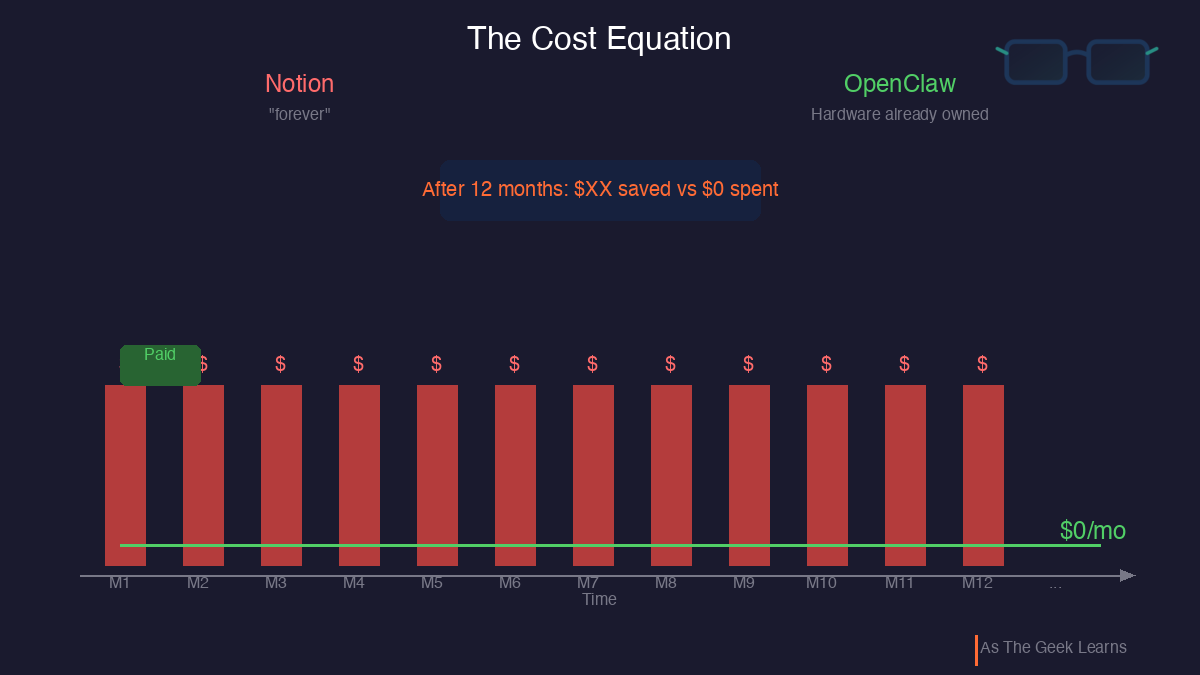
I’m paying a recurring subscription for what amounts to a document editor with a database bolted on. The AI features cost extra. The data lives on someone else’s servers. And that charge hits every month whether I used Notion heavily or barely opened it.
When you’re building side projects and running a content platform, every recurring cost needs to justify itself. Notion stopped clearing that bar, not because it got worse, but because the alternatives got better.
What’s Actually Going On
The subscription cost is the easy argument. The real one goes deeper.
I’ve spent most of my IT career building and managing infrastructure. What I’m learning now is how to build things: software, AI workflows, and automation pipelines. Running a local AI agent isn’t just about replacing a SaaS tool. It’s about understanding how these systems work under the hood.
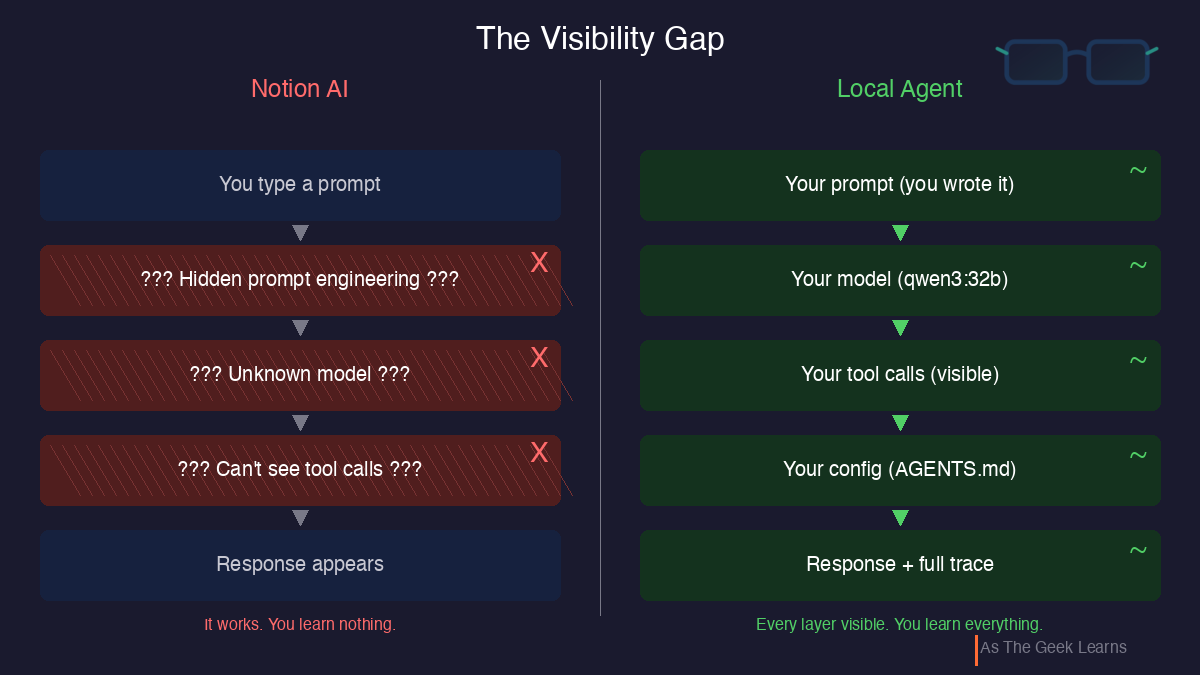
When you use Notion AI, you’re calling an API you can’t see, running a model you can’t inspect, with prompts you didn’t write. It works. You learn nothing.
When you run your own agent on your own hardware with your own models, every layer is visible. You see the prompts. You see the model responses. You see where tool calls succeed and where they fail. You understand why the system behaves the way it does.
For someone building AI-assisted tools and writing about the experience, that visibility isn’t optional. It’s the whole point.
The Fix
Here’s the stack I’m building:
OpenClaw handles the agent framework, the brain that orchestrates everything. It runs as a background service on macOS, accepts messages via iMessage, and acts proactively on a schedule without being prompted.
Ollama provides local LLM inference. Models run on the Mac Studio’s M3 Ultra with 256 GB of unified memory. No API calls to OpenAI. No per-token charges. No rate limits.
ClawPad gives me a Notion-style editor that reads and writes the same Markdown files the agent uses.
AnythingLLM adds RAG (Retrieval-Augmented Generation) so the agent can search and reason over my entire knowledge base locally.
Everything runs on localhost. Nothing phones home.
The piece that most exceeds Notion is HEARTBEAT.md. It is a file of standing instructions the agent executes on a schedule.
Every morning at 6:30, it creates my daily note, checks my calendar, pulls open tasks, and pushes a briefing to my iPhone via iMessage. Every evening, it summarizes the day.
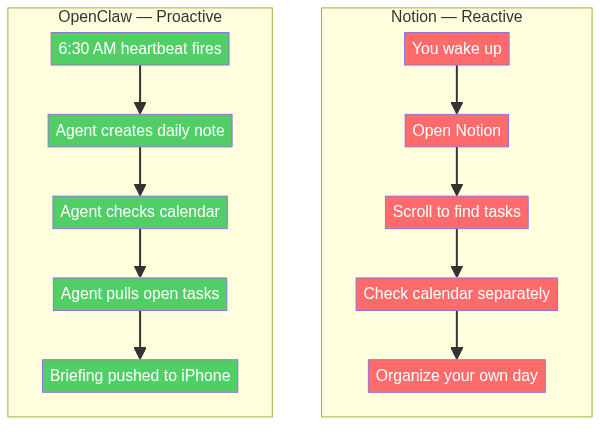
I didn’t open anything. I didn’t remember to check my task list. The workspace came to me.
If you’ve heard me say, “If I do something more than twice, automate it,” this is that philosophy taken to its logical conclusion.

Why This Matters
I’d be dishonest if I skipped the security reality. OpenClaw’s track record here is horrendous.
In February 2026, researchers found over 135,000 OpenClaw instances exposed to the public internet. Over 15,000 were vulnerable to remote code execution. A coordinated attack called “ClawHavoc” planted more than a thousand malicious plugins on the community registry. Nine CVEs have been disclosed, including one for SSH command injection on macOS specifically.
An AI agent with shell access to your machine, running 24/7, is a serious attack surface if you don’t lock it down. Running local means you own the security. That’s both the benefit and the burden.
The latest release (v2026.3.2) defaults to loopback-only binding, adds credential management through macOS Keychain, and includes SSRF protection. The posture is dramatically better than a month ago. But “better” doesn’t mean “done.”
And the tradeoffs beyond security are real too. Notion’s relational databases are genuinely useful. Markdown with YAML front matter is functional but not elegant. The mobile experience goes from Notion’s polished iOS app to iMessage commands. Maintenance is on me. Sharing doesn’t exist.
For a solo practitioner building AI-assisted tools, the math works. For a team that needs collaboration, probably not.
Quick Reference
What I’m gaining:
Zero recurring cost. Hardware is already paid for, and the software is open source.
Complete data ownership. Every document is a Markdown file on my SSD.
Unlimited AI. No usage caps and no “you’ve exceeded your credits.”
Proactive workspace. Morning briefings, auto daily notes, and task reminders via iMessage.
Deep understanding. Every layer is visible, and every configuration is mine.
What I’m giving up:
Relational databases with filtered views.
Polished mobile app.
Zero-maintenance experience.
Team collaboration.
The plan is six weeks, phased. Each phase leaves a working system. If it fails, Notion re-imports Markdown. The escape hatch stays open.
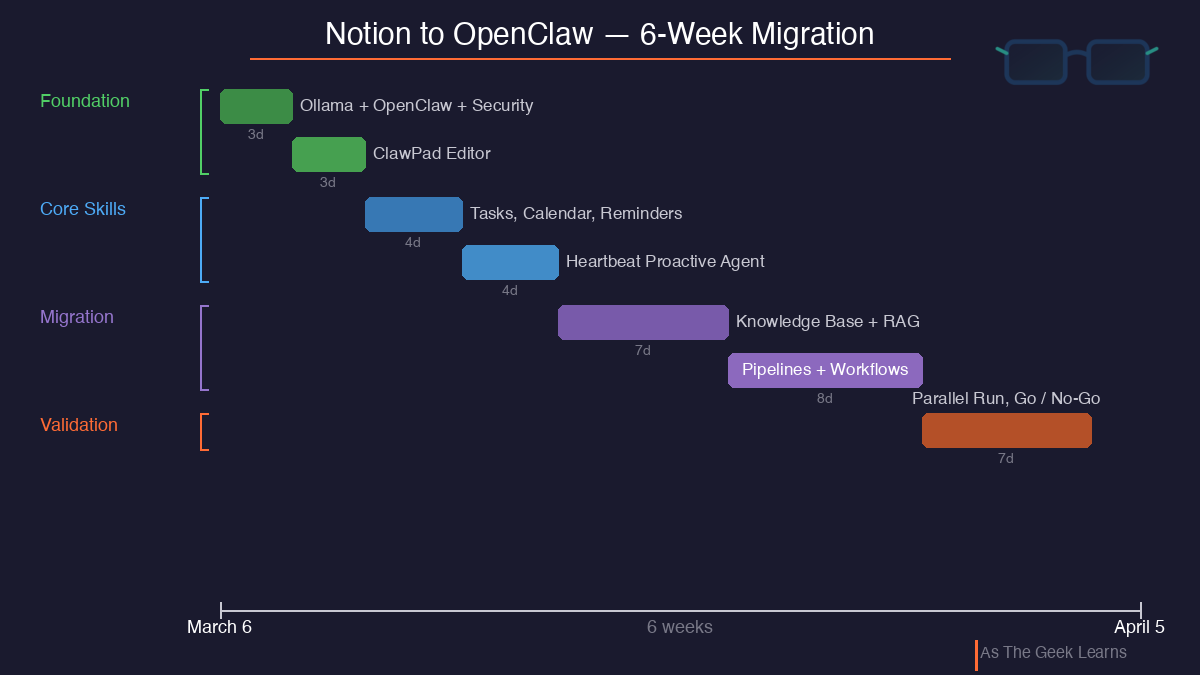
I’ll document every win, frustration, configuration gotcha, and security decision along the way. Not a polished demo, but an honest account of replacing a mature SaaS product with open-source infrastructure you run yourself.
Found this useful? I share practical lessons from my systems engineering journey at As The Geek Learns.
Honest-account posts like this are the useful kind, because the failure modes show up in month two, not install day. One addition from someone who builds in this exact niche (disclosure: I make ScallopBot, https://scallopbot.com , a self-hosted assistant, so weigh this as a maker's opinion): the markdown-files-on-your-SSD approach is great for what you store on purpose, and quietly weak on what the agent learns while working. Once the agent is proactive, the interesting memories are the inferred ones, and those need extraction, dedupe and contradiction checks or the files grow stale and the agent repeats old facts with confidence. Whatever you land on, budget for the forgetting problem before the Notion replacement part feels finished. Curious how the proactive schedules behave after a few months of accumulated notes.