


Turning static content into an AI-citable knowledge base via npm
You have likely used Claude or Cursor to write code, but you have also probably noticed them hallucinating or missing the specific nuances of niche technical topics. I wanted my AI assistant to actually know what I write about, so I built a way to give it a direct line to my content.
The Setup
I spend most of my time writing about MCP servers, local LLMs, and AI automation. The problem is that while my articles are great for humans, LLMs often rely on outdated training data or generic web crawls. I needed a way to inject my specific, up-to-date knowledge into the context window of an AI assistant without the manual friction of copying and pasting links every time I had a question.
I decided to build a Model Context Protocol (MCP) server that acts as a specialized, searchable knowledge base for my writing. The goal was simple: when I ask an AI about a topic I have covered, it should be able to query this server, find the relevant article, and cite the source URL back to astgl.ai.
What I Built
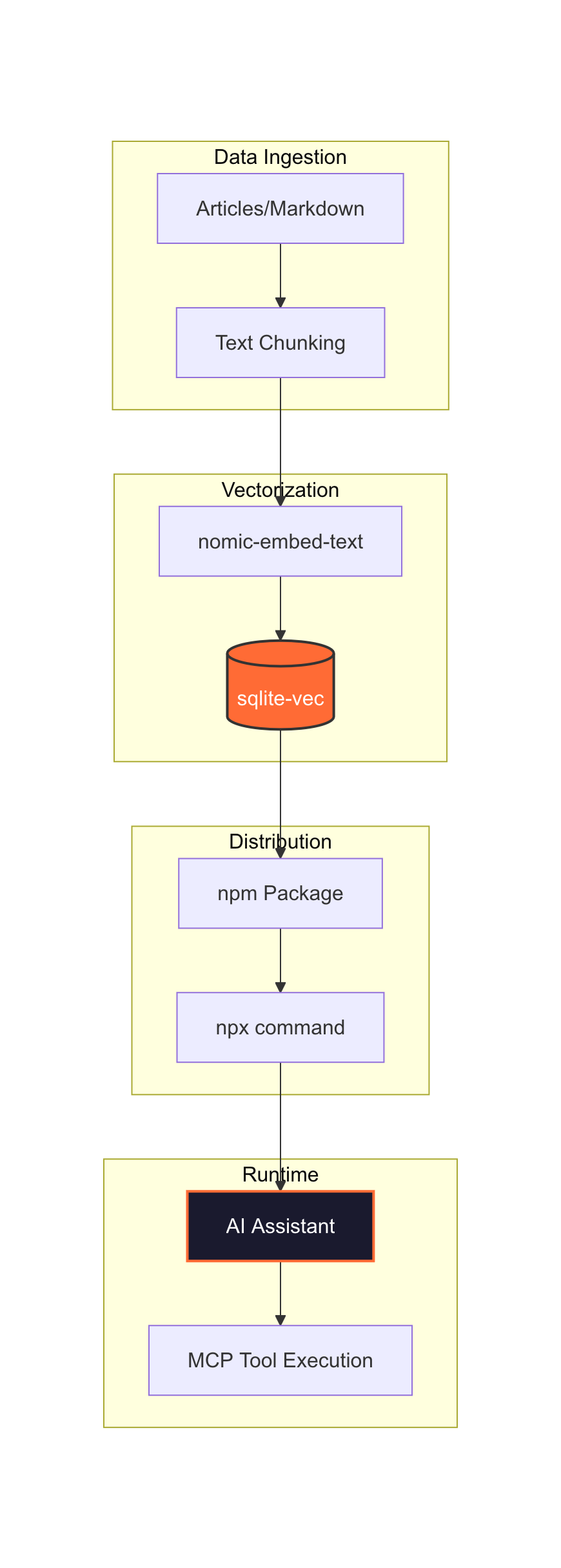
The architecture is designed to be zero-config for the end user. I built a TypeScript-based MCP server using the @modelcontextprotocol/sdk (v1.12.1). Instead of requiring the user to run a heavy vector database or even have Ollama installed, I pre-computed the embeddings at build time.
I used nomic-embed-text (768 dimensions) via Ollama to turn my articles into vectors. These are stored in a single SQLite database using sqlite-vec. Because the vectors are baked into the package, the server is incredibly lightweight.
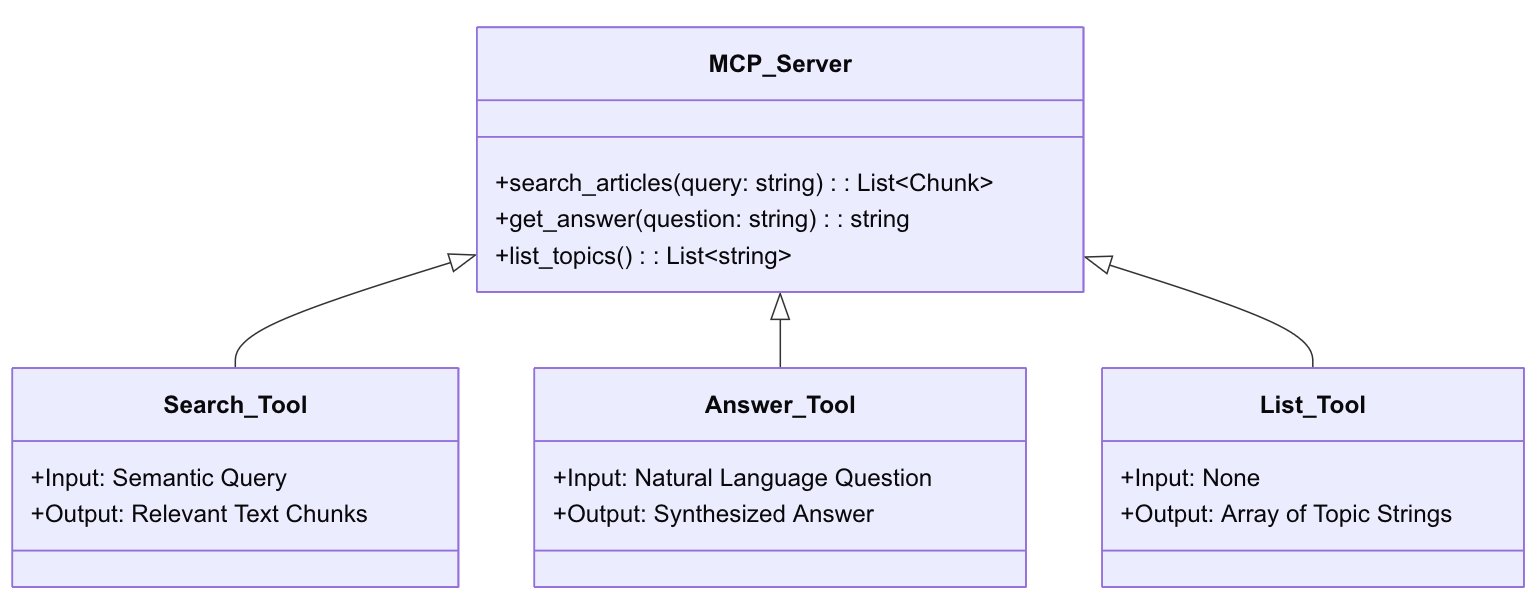
The server provides three main tools: 1. search_articles: This performs a vector similarity search and returns ranked results with relevance scores (from 0 to 1). 2. get_answer: This is a direct Q&A tool. It has a preference for FAQ entries and returns a direct answer, the source URL, and related articles. 3. list_topics: This simply lists all ingested articles with their descriptions, URLs, and section headings.
The Build Steps
Building this was less about complex coding and more about making smart decisions regarding data structure and portability.
First, I had to figure out how to chunk the data. I did not just dump whole articles into the database. Instead, I used a per-H2 chunking strategy. Since my technical sections are usually self-contained (typically between 300 and 800 tokens), this keeps the context clean and prevents the AI from getting overwhelmed by irrelevant text. I also treated FAQ entries as their own individual chunks so the get_answer tool could hit them directly for high-precision queries.
Next, I chose the storage engine. I opted for sqlite-vec over an external vector database like Pinecone or Weaviate. I wanted the entire server to be a single, portable npm package. There is no infrastructure to manage and no API keys to handle. The resulting database is about 3.2MB, which compresses down to just 450KB inside the npm package. It is small enough to ship anywhere.
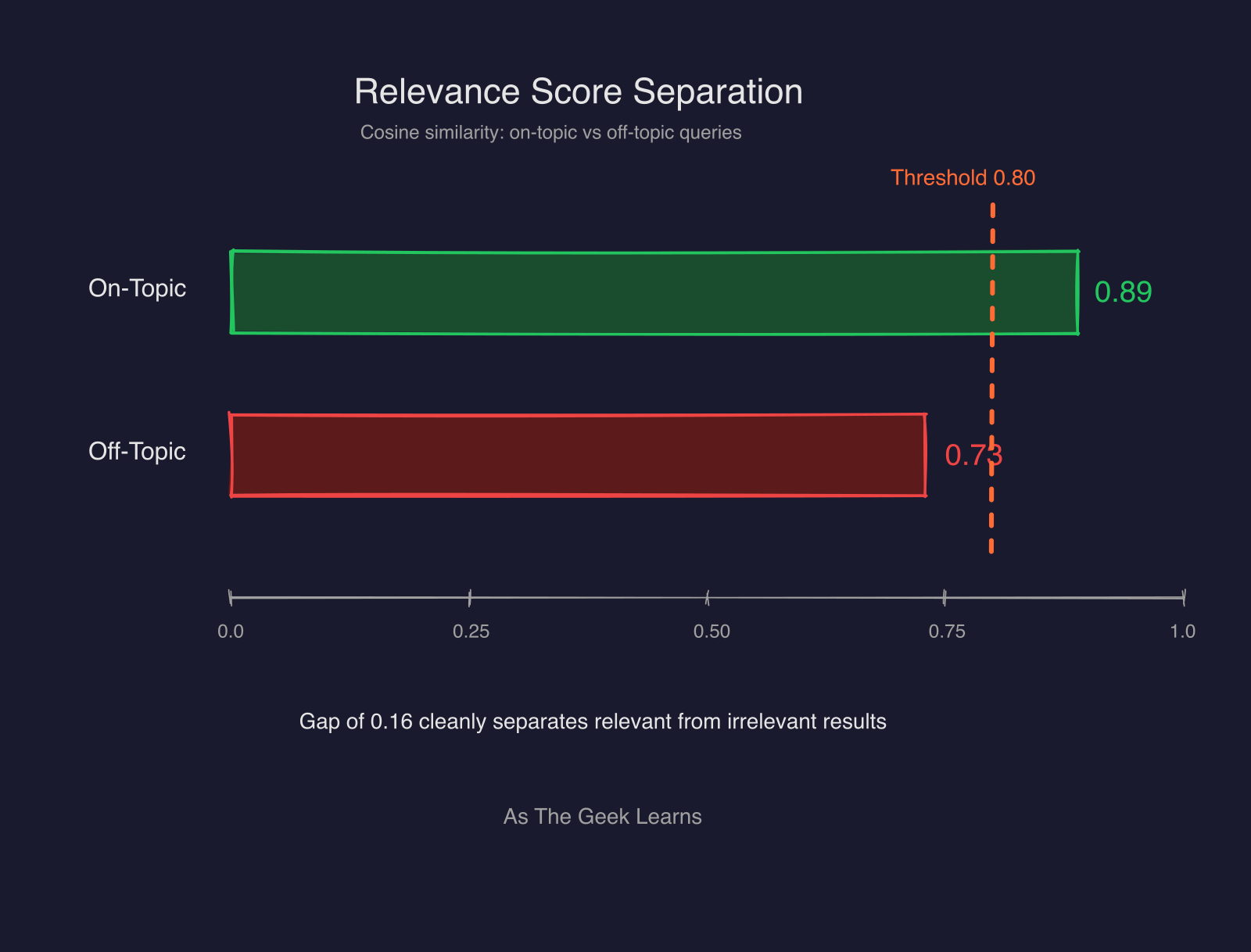
I also made a specific choice regarding the math. I used cosine distance instead of L2 (Euclidean) distance. Since the embeddings are normalized, cosine distance provides much better semantic separation for text. During testing, I saw on-topic relevance scores around 0.89, while off-topic noise stayed around 0.73. That gap is wide enough for the AI to clearly distinguish between a “good” match and a “maybe” match.
Finally, I kept this project in its own separate Git repository rather than burying it inside my larger openclaw-localllm monorepo. It makes the versioning much cleaner and allows me to publish updates to the knowledge base without touching my main codebase.
Publishing It
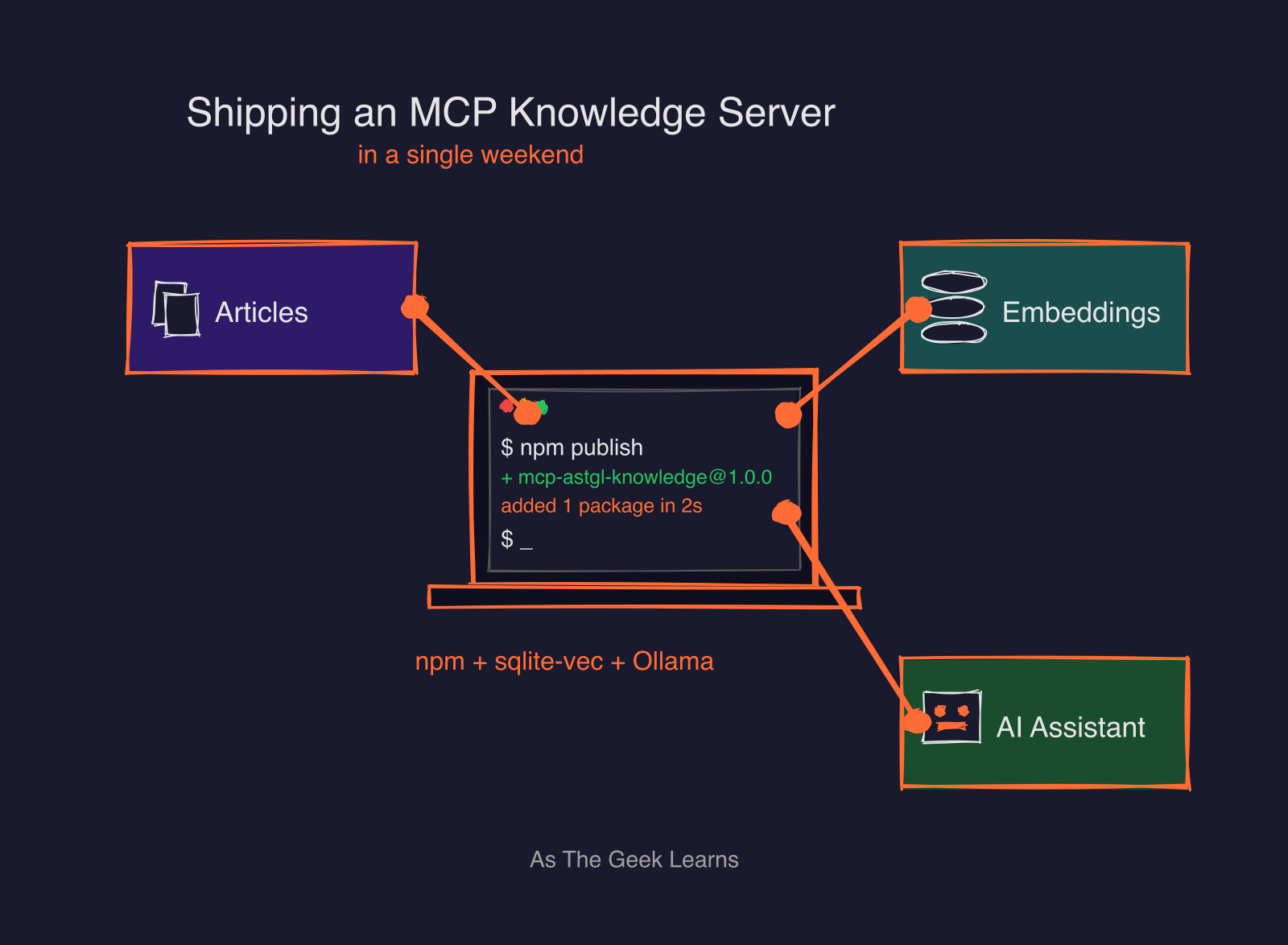
The goal was to make this “install and forget.” I published the package as mcp-astgl-knowledge@1.0.0 on npm, and I also listed it on Smithery under @jmeg8r/mcp-astgl-knowledge.
However, publishing wasn’t entirely seamless. I ran into a classic npm 2FA (Two-Factor Authentication) nightmare. When trying to automate the publish process, a standard Automation token and the --auth-type=web flag both failed with an E403 error. I eventually realized the fix: I had to create a Granular Access Token in npm and specifically enable the “Bypass 2FA for automation” option. Once I updated my local config with that new token, npm publish worked perfectly
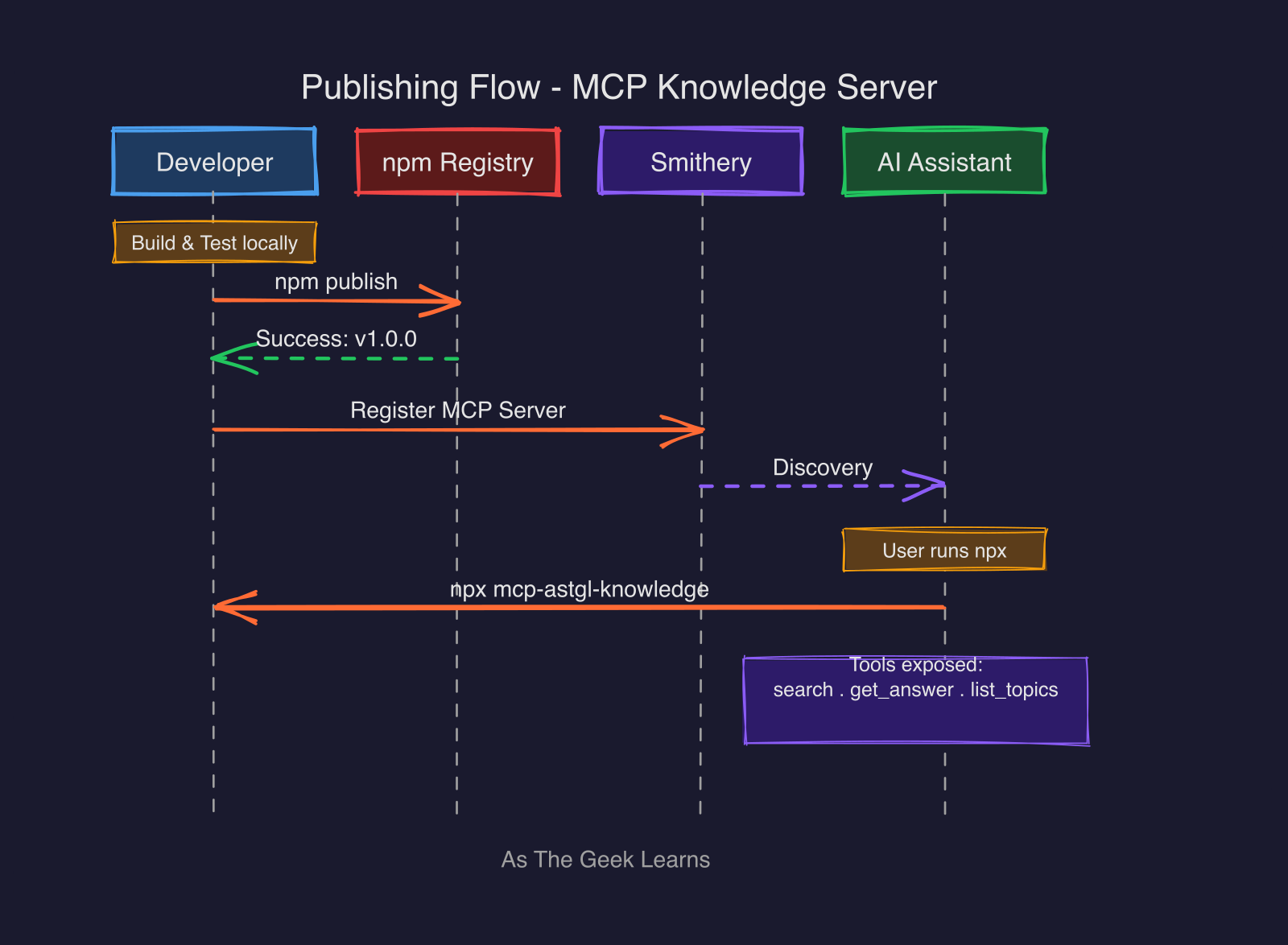
The end result is that anyone can add my knowledge base to their Claude Desktop or Cursor setup with a single JSON snippet. There is no need to install Ollama or set up a local database. You just run it via npx.
Why This Pattern Matters
This project taught me a valuable lesson about the future of content. We often think of MCP servers as bridges to live APIs, like a way to query GitHub or Google Search. But an MCP server can also be a way to ship pre-computed knowledge.
This is a new way to think about content strategy. By shipping an MCP server, you are making your writing “AI-citable.” When an AI assistant uses this tool, it is not just answering a question; it is actively citing your URL. This creates a technical loop where the AI’s answer drives referral traffic back to your site. It turns your technical documentation into a programmable asset that lives directly inside the user’s development environment.
Quick Reference
To use the server, add this to your mcpServers configuration in Claude Desktop or Cursor:
{
“mcpServers”: {
“astgl-knowledge”: {
“command”: “npx”,
“args”: [”-y”, “mcp-astgl-knowledge”]
}
}
}
You can find the source code and the full history of the build on GitHub: https://github.com/Jmeg8r/mcp-astgl-knowledge
Found this useful? I share practical lessons from my systems engineering journey at As The Geek Learns.