



Welcome to the As The Geek Learns podcast. This is episode 5.
My name is James Cruce and I am the Geek here at As The Geek Learns. No, this is not my voice, but I am glad you are here Listener’s Note: Due to how painful it is to listen to someone read code, I have removed it from this podcast recording. I am doing you a favor. Please refer to the article for the full code.…
We aren’t sponsored… Yet, but we do have a new site where you can follow our software development progress. We have a Gumroad store where you can purchase ASTGL apps. Some free and some for dollars and absolutely no software subscriptions. Check it out at https://astgl.io. Our feature app this week is Substack Scheduler: Schedule your Substack Notes. Post at the perfect time, every time. Supports 1 or more substack sites. No subscription. ASTGL doesn’t do subscriptions. If you buy it, you own it. Now onto the episode…
I was about to write my first line of Swift code when I stopped myself.
Not because I didn’t know what to write. Because I realized I was about to make a mistake I’d made dozens of times before: writing code first, configuring quality tools later.
That path leads to technical debt. Every time.
The Familiar Pattern
Here’s how most projects start:
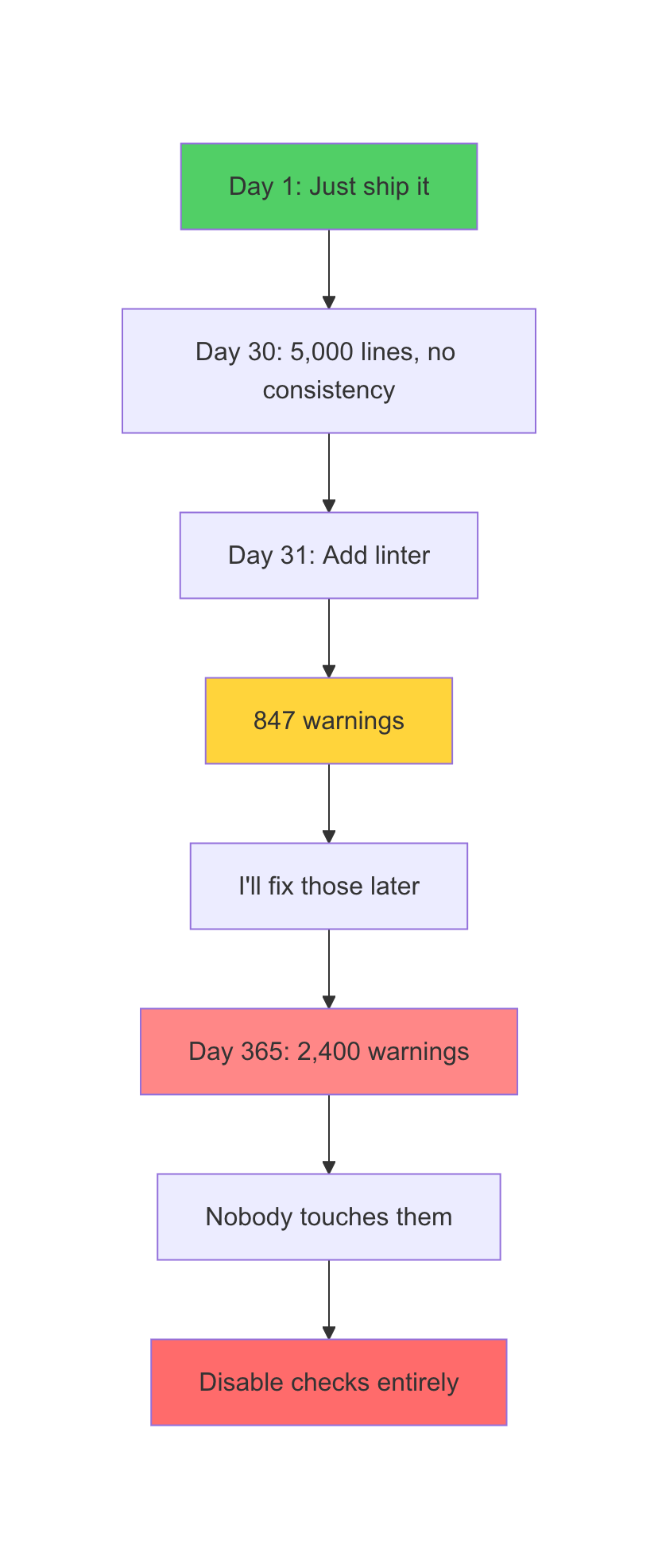
Day 1: “I’ll just get something working.” Day 30: 5,000 lines of code. No consistent style. Some files use tabs, others spaces. Import statements scattered randomly. Day 31: “I should really add a linter.” Day 32: SwiftLint reports 847 warnings. SwiftFormat wants to change every file. Day 33: “I’ll fix those later.” Day 365: Those 847 warnings are now 2,400. Nobody touches them.
Sound familiar?
As The Geek Learns is a reader-supported publication. To receive new posts and support my work, consider becoming a free or paid subscriber.
The problem isn’t the linting tools. The problem is when you introduce them. Retrofitting quality enforcement into an existing codebase feels like punishment. Every commit triggers a wall of warnings. Developers start ignoring them. Eventually, someone disables the checks entirely.
Ironclad Workflow: Setup Before Code
The solution is simple but counterintuitive: configure all your quality tools before writing any application code.
I call this the “Ironclad Workflow” because once it’s set up, it’s nearly impossible to introduce the kind of inconsistency that becomes technical debt.
Ironclad Workflow Components: 1. Git—Version control from line one 2. Linting—Code quality rules (SwiftLint for Swift) 3. Formatting—Consistent style (SwiftFormat for Swift) 4. Pre-commit hooks—Enforcement before commits 5. CI/CD—Server-side verification
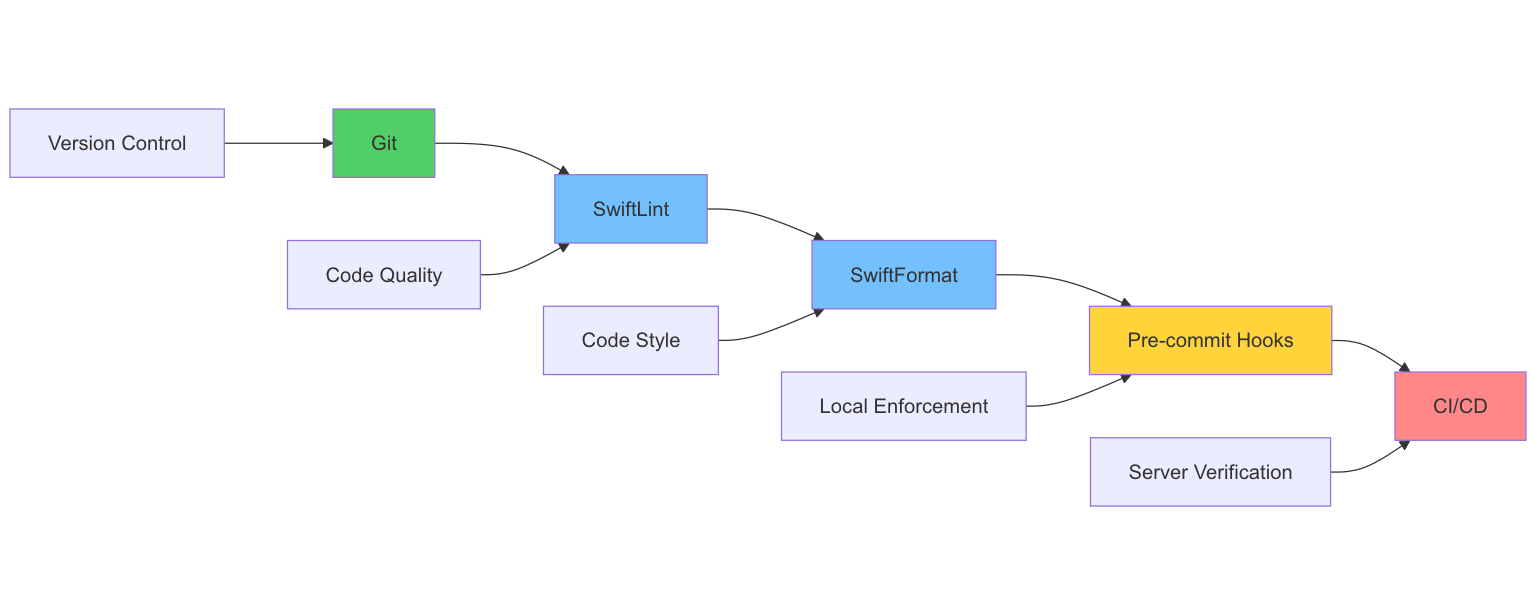
When these are configured before code exists, every line you write conforms to the rules automatically. There’s never a “fix the linting” task because violations are caught immediately.
Step-by-Step Implementation
Here’s the order that works:
Step 1: Initialize Git
git init
git add .gitignore
git commit -m “chore: initial project setup”
Start with version control. Every subsequent setup change gets its own commit. You can always see what changed when.
Step 2: Configure SwiftLint
# .swiftlint.yml
disabled_rules:
 - line_length # Handled by SwiftFormat
opt_in_rules:
 - empty_count
 - explicit_init
included:
 - Sources
 - Tests
SwiftLint catches code quality issues: force unwrapping, unused variables, and complex expressions. Configure it before writing code so you learn the rules as you go rather than fighting them later.
Step 3: Configure SwiftFormat
# .swiftformat
--indent 4
--indentcase true
--trimwhitespace always
--importgrouping alphabetized
--semicolons never
SwiftFormat handles style: indentation, spacing, and import ordering. Consistent formatting speeds up code reviews because reviewers focus on logic, not style.
Step 4: Add Pre-Commit Hooks
#!/bin/sh
# .git/hooks/pre-commit

# Run SwiftFormat
swiftformat --lint .
if [ $? -ne 0 ]; then
 echo “SwiftFormat failed. Run ‘swiftformat .’ to fix.”
 exit 1
fi

# Run SwiftLint
swiftlint lint --strict
if [ $? -ne 0 ]; then
 echo “SwiftLint failed. Fix violations before committing.”
 exit 1
fi
Pre-commit hooks prevent violations from reaching the repository. You can’t commit code that fails the checks. This is enforcement, not suggestion.
Step 5: Configure GitHub Actions
# .github/workflows/ci.yml
name: CI
on: [push, pull_request]
jobs:
 lint:
 runs-on: macos-latest
 steps:
 - uses: actions/checkout@v4
 - name: SwiftLint
 run: swiftlint lint --strict
 - name: SwiftFormat
 run: swiftformat --lint .
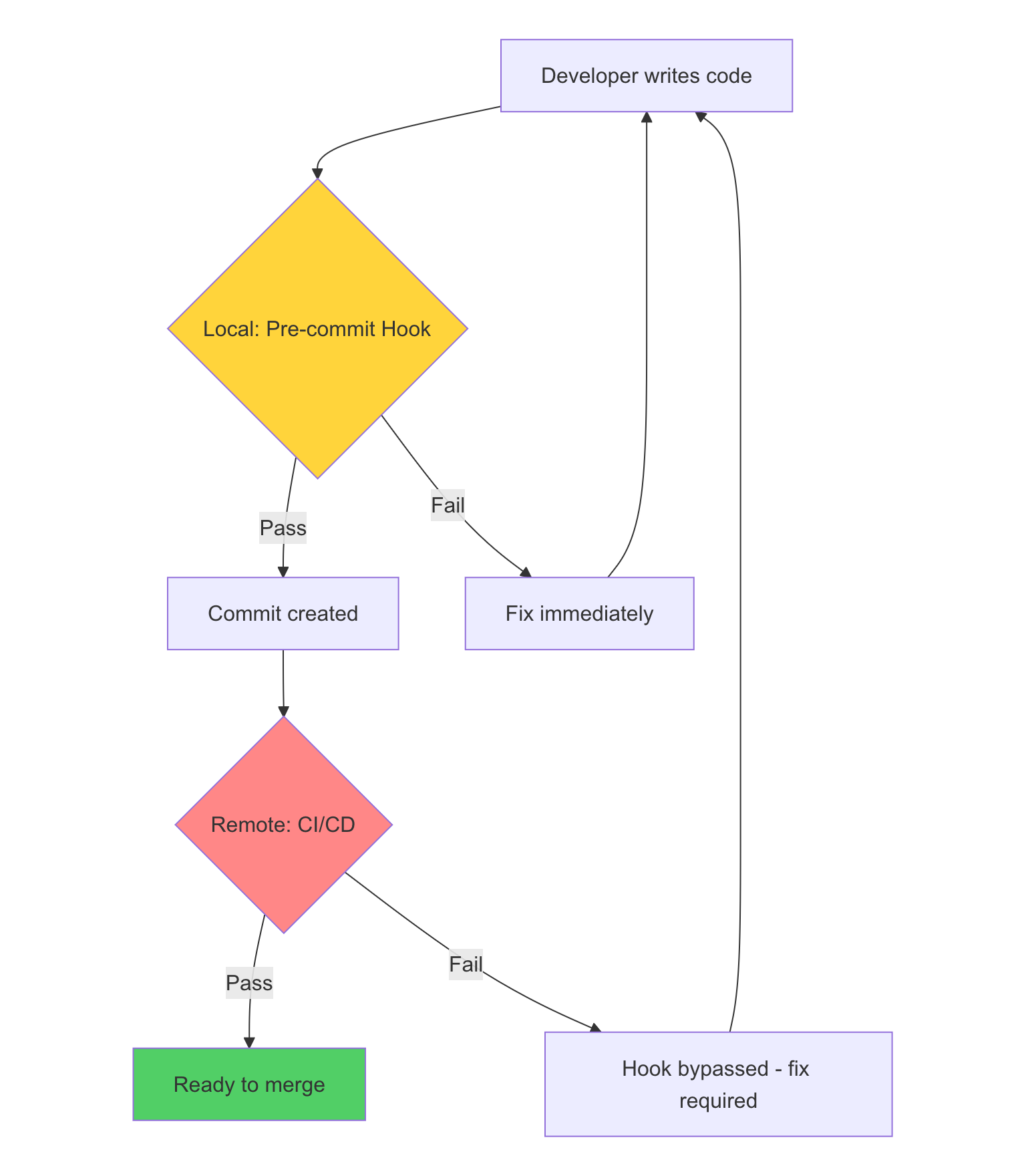
CI/CD is the safety net. If someone bypasses pre-commit hooks (using --no-verify), CI catches it. Failed CI blocks merging.
Why This Order Matters
The sequence isn’t arbitrary:
Git first because everything else depends on version control. You need commits to track configuration changes.
Linting before formatting because linting rules affect code structure, while formatting just affects appearance. Configure the logic rules first.
Hooks before CI because local enforcement is faster. You want violations caught in milliseconds on your machine, not minutes later on a build server.
CI last because it’s your backup. CI catches anything that slips through local enforcement.
The Psychological Shift
When quality tools exist from the start, they feel like guardrails rather than gatekeepers.
Retrofit mindset: “The linter is blocking my commit.” Setup-first mindset: “The linter is teaching me the patterns.”
This isn’t just semantics. Developers who learn patterns during development internalize them. Developers who fight patterns during retrofit resent them.
After a month of Ironclad Workflow, I found myself writing code that passed all checks on the first try. The patterns became muscle memory.
Measuring Success
How do you know Ironclad Workflow is working?
Zero CI failures due to formatting. If CI ever fails because of a style issue, something’s wrong with your hooks.
No “fix linting” commits. Every commit should already be clean. If you’re batch-fixing violations, your local enforcement isn’t working.
Code reviews focus on logic. Reviewers shouldn’t comment on formatting or style. Those are automated.
New developers onboard quickly. When they run the project for the first time, hooks enforce patterns automatically. No “read the style guide” onboarding step.
The Investment
Setting up Ironclad Workflow takes about two hours. That’s 15 minutes for Git and initial structure, 30 minutes for linting configuration, 30 minutes for formatting configuration, 30 minutes for pre-commit hooks, and 15 minutes for CI/CD.
Compare that to dozens of hours retrofitting linting later, endless code review cycles about style, the cognitive overhead of inconsistent code, and the frustration of 2,400-warning projects.
Two hours of setup prevents hundreds of hours of technical debt.
The Lesson
Technical debt is easier to prevent than fix.
Most developers know this intellectually. Few act on it practically. The pull of “just get something working” is strong.
But if you can resist that pull for two hours or just long enough to configure Git, linting, formatting, hooks, and CI, you’ll never need a “fix the linting” sprint again.
Setup before code. Enforcement from line one. Quality by default.
That’s Ironclad Workflow.
James (The Geek) is a systems engineer building apps to fix real-world pain points.
Drop your story in the comments. I read every one.
James (The Geek) is a systems engineer building apps to fix real-world pain points…
Drop your comments; we love them, everyone. I read every one.
If you’re learning to build software while working a day job, subscribe to the As The Geek Learns podcast. I document the wins, the fails, and the “I wish someone had told me this earlier” moments.
Until next time—stay curious, keep scripting, and remember: every expert was once a beginner who just refused to quit. I’m James, and this has been As The Geek Learns.
One last thing: if you’re getting value from the show, drop me a rating on Apple Podcasts. Five stars keeps the lights on, but honestly? Even a review that says, ‘This guy talks about PowerShell too much,‘ helps the algorithm. I’ll take it.


