


The question isn't whether local AI saves money—it does. The question is how fast and how much, based on your specific usage pattern.
Here's the real math, with actual hardware costs, cloud API pricing, and the breakeven points where local infrastructure pays for itself.
The Short Answer
Local AI has high upfront cost and near-zero ongoing cost. Cloud AI has zero upfront cost and scales linearly forever. The crossover point depends on your usage volume.
| | Local AI | Cloud AI |
|--|----------|----------|
| Upfront cost | $600-8,000 (hardware) | $0 |
| Monthly cost | $5-15 (electricity) | $50-5,000+ (API fees) |
| Per-call cost | $0 | $0.001-0.10 per call |
| Scales with usage | No—flat cost | Yes—more usage = more cost |
| Quality ceiling | Very good (not frontier) | Frontier models available |
| Privacy | Complete—data stays local | Data sent to provider |
Rule of thumb: If you'd spend more than $100/month on API calls, local AI probably pays for itself within a year.
The Cloud Cost Reality
Cloud AI pricing is per-token. Here's what real usage patterns cost:
Typical Monthly Cloud Costs
| Usage Pattern | Calls/Day | Model | Monthly Cost |
|--------------|-----------|-------|-------------|
| Casual user | 10-20 | Claude Sonnet | $10-30 |
| Power user | 50-100 | Claude Sonnet | $50-200 |
| Developer with AI tools | 200-500 | Mixed models | $200-800 |
| Automated workflows | 500-1,000 | Claude Haiku + Sonnet | $500-2,000 |
| Full automation pipeline | 2,000-5,000 | Mixed models | $2,000-8,000 |
| Enterprise scale | 10,000+ | Mixed models | $10,000+ |
The jump from casual to automated is where costs explode. A morning briefing that runs daily, a content pipeline that generates articles, and notification routing that processes hundreds of messages—these add up fast.
The Subscription Alternative
Claude Pro ($20/month) and Claude Max ($100-200/month) offer high-volume access at flat rates. These are excellent value for interactive use. But they have rate limits that don't work well for automated pipelines running 24/7.
The Local Cost Reality
Hardware Options
| Device | RAM | Price | Best For |
|--------|-----|-------|----------|
| Mac Mini M4 | 32 GB | ~$800 | Entry-level: runs 7-12B models comfortably |
| Mac Mini M4 Pro | 48 GB | ~$1,400 | Mid-range: runs 26B models, 2-3 concurrent |
| Mac Studio M3 Max | 96 GB | ~$3,000 | Serious: runs 70B models, full automation |
| Mac Studio M3 Ultra | 192 GB | ~$5,000 | Professional: multiple large models simultaneously |
| Mac Studio M3 Ultra | 512 GB | ~$8,000 | Maximum: every model, every size, all at once |
| Linux + RTX 4090 | 24 GB VRAM | ~$2,500 | Fast inference, limited to one large model |
| Linux + 2x RTX 4090 | 48 GB VRAM | ~$4,500 | High throughput, parallel inference |
Apple Silicon advantage: Unified memory means the GPU can access all system RAM. A 192 GB Mac Studio can run models that would require multiple $2,000 GPUs on Linux.
Ongoing Costs
| Cost | Monthly | Annual |
|------|---------|--------|
| Electricity (always-on Mac Studio) | $10-15 | $120-180 |
| Internet (already have it) | $0 incremental | $0 |
| Software (Ollama, open-source models) | $0 | $0 |
| Maintenance time (~2 hours/month) | Time cost | Time cost |
| Total cash cost | $10-15 | $120-180 |
Breakeven Analysis
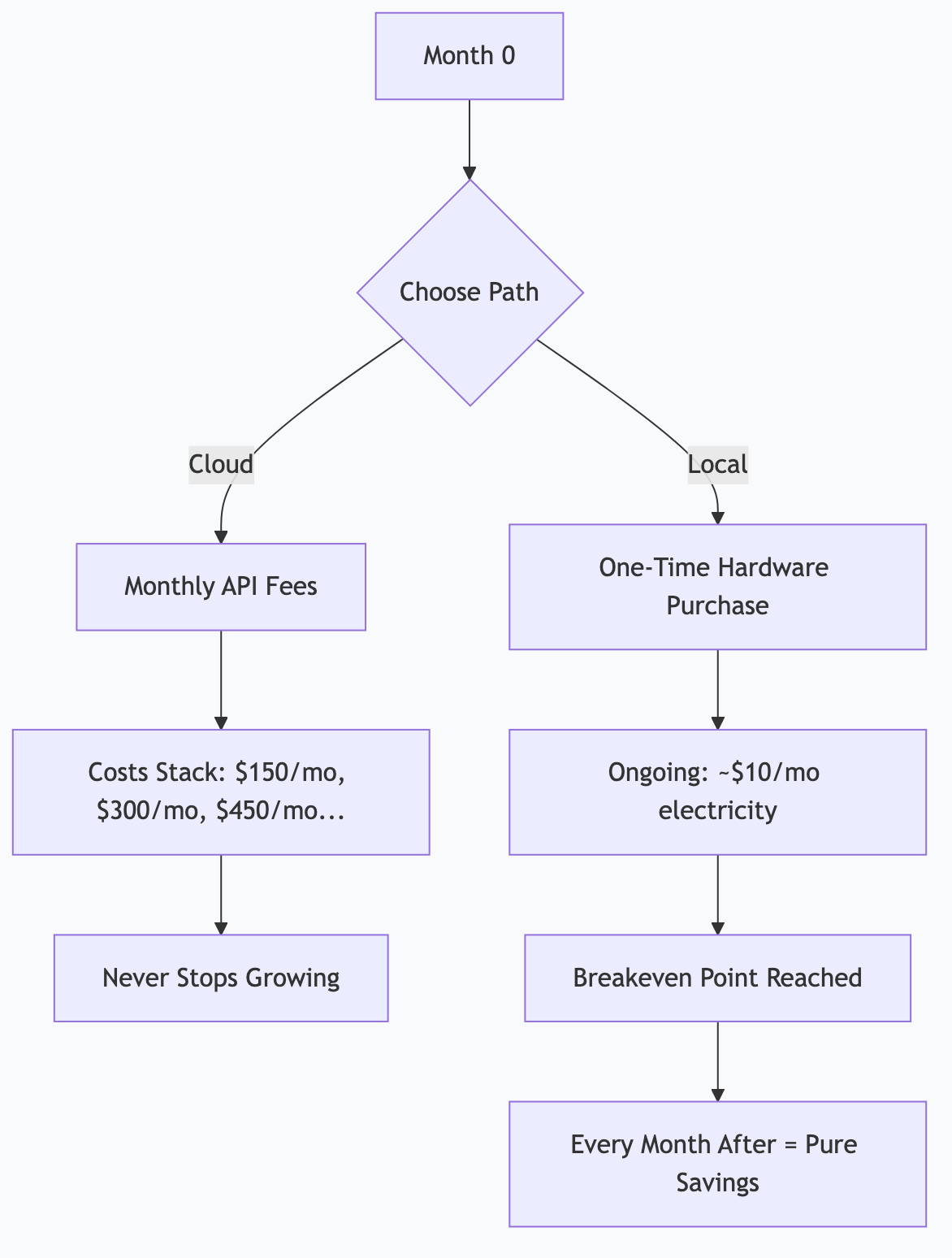
Scenario 1: Light Automation
Setup: Mac Mini 32 GB ($800) running morning briefings and email triage.
Cloud alternative: ~$150/month in API calls (500 calls/day, mixed models).
Breakeven: $800 ÷ $150/month = 5.3 months
Year 1 savings: ($150 × 12) - $800 - $150 electricity = $850
Scenario 2: Content Creator
Setup: Mac Mini 48 GB ($1,400) running content pipeline, research, and repurposing.
Cloud alternative: ~$400/month in API calls (content generation is token-heavy).
Breakeven: $1,400 ÷ $400/month = 3.5 months
Year 1 savings: ($400 × 12) - $1,400 - $150 = $3,250
Scenario 3: Full Automation
Setup: Mac Studio 192 GB ($5,000) running 26 daily tasks, content pipeline, multi-agent council.
Cloud alternative: ~$2,000/month in API calls (thousands of daily calls across multiple agents).
Breakeven: $5,000 ÷ $2,000/month = 2.5 months
Year 1 savings: ($2,000 × 12) - $5,000 - $180 = $18,820
The Pattern
The more you automate, the faster local infrastructure pays for itself. Light users might take a year to break even. Heavy automation users break even in months.
Beyond Dollar Savings: Hidden ROI
The financial math is compelling, but the less obvious benefits matter too.
Privacy ROI
With local AI, sensitive business data never leaves your machine. No data processing agreements. No compliance concerns about which country your data is processed in. No risk of training data leakage.
For regulated industries (healthcare, legal, finance), this alone can justify the hardware cost—the alternative is expensive enterprise AI contracts with compliance guarantees.
Availability ROI
Cloud APIs have outages. Rate limits. Capacity constraints during peak hours. Your automated pipeline at 6 AM shouldn't depend on whether a cloud provider's servers are congested.
Local AI is available whenever your computer is on. No rate limits. No outages (except your own hardware). No "please try again later."
Latency ROI
Local inference is fast—especially on Apple Silicon. A Gemma 4 26B running locally generates tokens faster than most cloud APIs deliver them, because there's no network round trip.
For interactive use, this means snappier responses. For automation, this means faster pipeline throughput.
Experimentation ROI
When every API call costs money, you hesitate to experiment. With local models, experimentation is free. Try 50 different prompt variations. Run A/B tests on voice profiles. Process your entire email archive to build training data. The marginal cost is zero.
This freedom to experiment accelerates learning and leads to better automation designs.
How I Actually Do This
I run a Mac Studio M3 Ultra with 256 GB unified memory. Here's the real financial picture:
My Costs
| Item | Cost |
|------|------|
| Mac Studio M3 Ultra 256 GB | $7,000 (one-time) |
| Electricity (~120W average, 24/7) | ~$12/month |
| Cloud Claude (10% of tasks) | ~$20/month (Pro subscription) |
| Total monthly ongoing | ~$32/month |
What I'd Pay With Cloud APIs
| Workload | Estimated Monthly Cloud Cost |
|----------|----------------------------|
| 26 scheduled agent tasks | $800-1,200 |
| Content pipeline (ACA Council) | $400-600 |
| Ad-hoc development assistance | $200-400 |
| Research and analysis | $100-200 |
| Total estimated | $1,500-2,400/month |
My Breakeven
$7,000 ÷ $1,500/month = 4.7 months
I passed breakeven months ago. Every month now is pure savings.
The Honest Caveats
1. Cloud Claude is still better for some tasks. Complex architectural decisions, nuanced code review, novel problem-solving—I still reach for cloud Claude. Local models handle 90% of the volume but not 100% of the difficulty.
2. Setup time is real. I spent about 40 hours over several weeks getting the full automation stack running. That's an investment of time that wouldn't exist with cloud APIs.
3. Hardware depreciates. In 3-4 years, I'll want newer hardware. The Mac Studio will still work, but newer models will be faster and more capable. Budget for replacement cycles.
4. Not everyone needs this. If you make 20 AI calls a day interactively, a Claude Pro subscription ($20/month) is the right answer. Local infrastructure makes sense when you're automating at volume.
Decision Framework
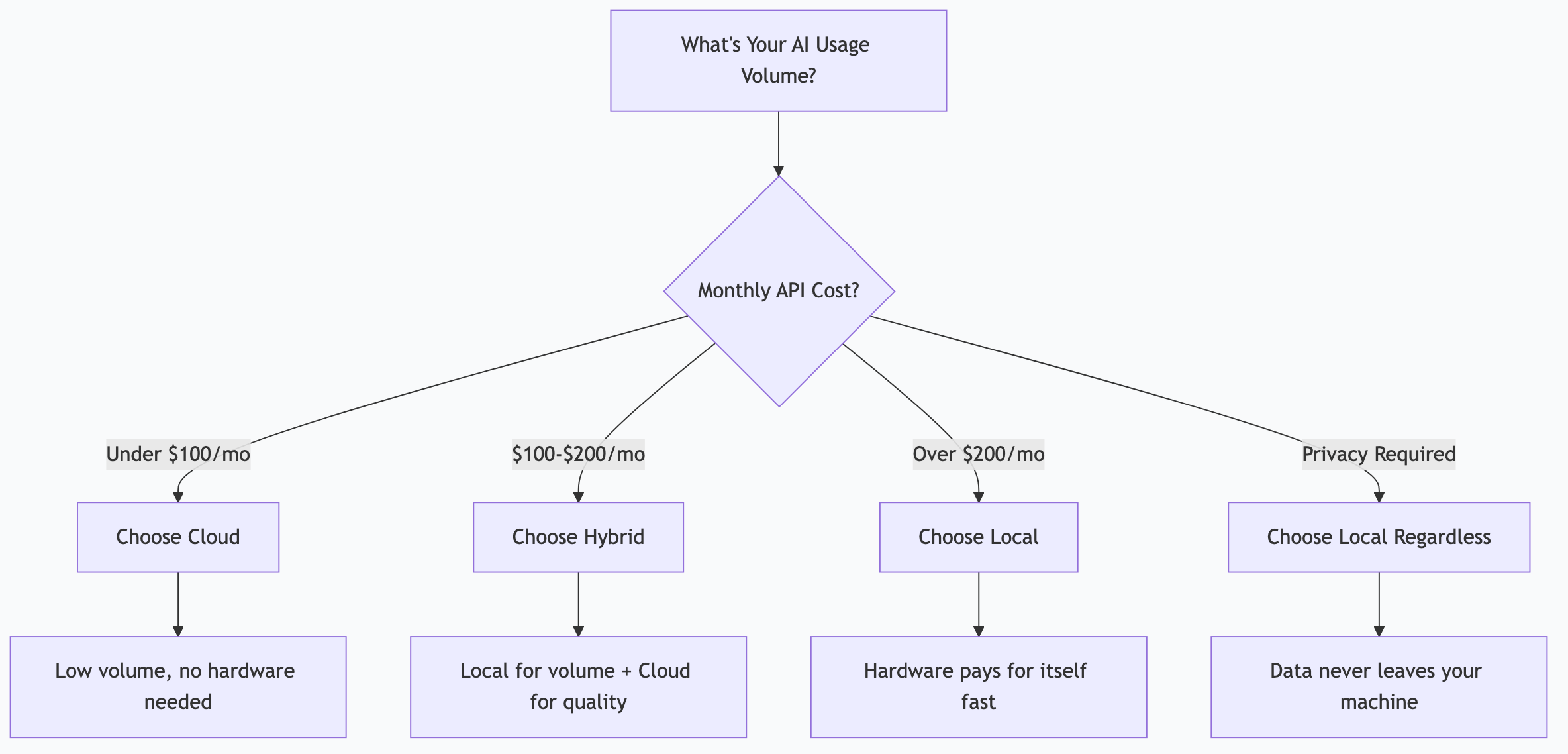
Choose Cloud When:
- You're just starting with AI (explore before investing)
- Your usage is primarily interactive (chatting, not automating)
- You need frontier model quality for every task
- You want zero hardware management
- Monthly API costs stay under $100
Choose Local When:
- You're automating workflows that run daily/hourly
- Privacy is a requirement (regulated industry, sensitive data)
- You'd spend $200+/month on cloud APIs
- You want unlimited experimentation without cost anxiety
- You're running multiple concurrent AI tasks
Choose Hybrid (Best for Most):
- Local models for volume tasks (triage, automation, content generation)
- Cloud models for high-value tasks (complex reasoning, frontier quality)
- Result: 90% of compute is free, 10% is cloud-quality
Frequently Asked Questions
Can I start with a cheaper machine and upgrade later?
Absolutely. A Mac Mini with 32 GB ($800) runs a solid automation stack. If you outgrow it, sell it (Macs hold resale value well) and upgrade. You don't need to start with the most expensive option.
What about Linux with NVIDIA GPUs?
Competitive for raw inference speed—an RTX 4090 (24 GB VRAM) is fast. But limited VRAM means you can only run one large model at a time. For multi-model architectures (triage + workhorse + specialist), Apple Silicon's unified memory is more flexible. Linux rigs are better for single-model, high-throughput workloads.
Does model quality improve fast enough to justify local hardware?
Yes. Open-source models improve dramatically every 6-12 months. A 26B model today outperforms a 70B model from two years ago. Your hardware runs better models over time without any additional cost—just download the new model.
What if I already have a powerful gaming PC?
If it has an NVIDIA GPU with 12+ GB VRAM, you can run local AI today at zero additional cost. Install Ollama, pull a model, and start experimenting. This is the cheapest possible entry point.
Is the electricity cost significant?
No. A Mac Studio draws about 40-120W depending on load. At US average electricity rates (~$0.15/kWh), that's $4-13/month running 24/7. An RTX 4090 draws more (300-450W under load) but idles much lower. Electricity is a rounding error compared to API costs.
*This is part of the ASTGL Definitive Answers series—structured, practical answers to the questions people actually ask about AI automation, MCP servers, and local AI infrastructure.*